
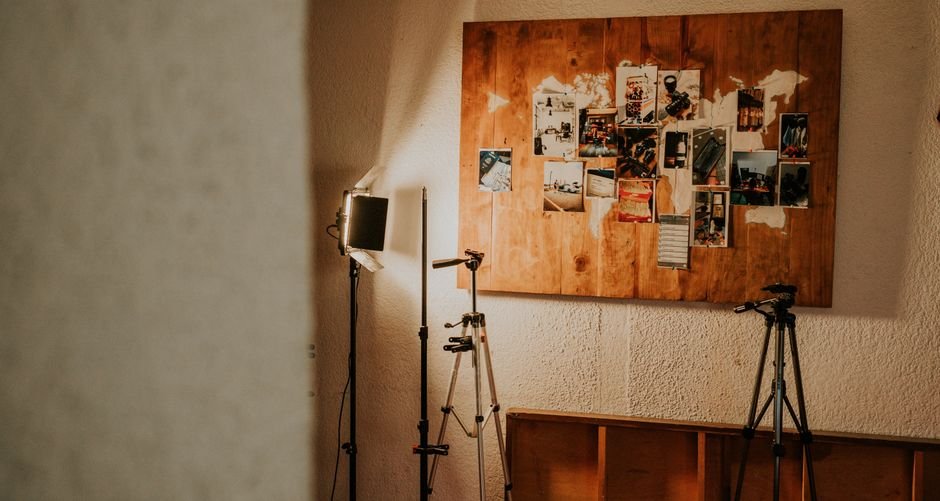
Search for beginner YouTube gear and you will find long lists of cameras, lenses, microphones, lights, and accessories, all presented as though a first upload is impossible without them. The reality reported by people who have actually started channels is far less expensive. A working phone, something to keep it steady, and free editing software have been enough to publish a first video.
What matters is the order you buy things in. Some gear shows up in every single video you publish. Other gear only becomes visible once you have a reason to upgrade. Sorting the list that way keeps a new channel from turning into an expensive shopping project that never gets to the filming stage.
Start With the Gear You Already Own
Most people asking about equipment for starting a YouTube channel already own the most useful item in the kit. A phone that records video, a computer that can run an editing app, and a pair of headphones for checking audio are enough to produce a real, publishable video.
One creator described starting a channel with a used iPhone XR, a $20 tripod, and the free iMovie editing software, and that setup was enough to get videos published. The point is not that gear is meaningless. The point is that gear is rarely the thing standing between a new creator and a first upload. Buying a camera before you have tested whether you enjoy filming, editing, and publishing tends to mean money spent on a hobby that has not started yet.
The Five Jobs Every Starter Setup Has to Cover
Beginner equipment lists often lump everything into one shopping trip. It is more useful to separate gear by the job it performs, because some jobs are urgent and others can wait several months.
- Capture: the phone or camera that records the picture.
- Audio: the microphone that captures your voice, whether that is a computer microphone, a phone microphone, or a small earbud microphone.
- Light: whatever makes your face and your subject readable on screen.
- Support: a tripod or stand that holds the shot steady.
- Editing: software that lets you cut, arrange, and export the finished file.
Capture, audio, and editing appear in every video you will ever make. Light and support show up in most of them, though a first video shot near a bright window with the phone propped on a stack of books is still a first video. Judge each purchase by asking which of these five jobs it solves, and whether that job is currently being solved well enough.
Do You Need a Camera, or Is a Phone Enough?
For a new channel, a phone is usually enough. The advice repeated most often by people who start with basic gear is simple: you do not need a fancy camera. Modern phones record clean video, they fit in a pocket, and they are already paid for.
A dedicated camera becomes worth considering when a specific limitation starts showing up in your footage rather than in your imagination. Common triggers include needing to record for long stretches without draining a phone, wanting a blurred background, or needing to plug in an external microphone without an adapter. Until one of those problems is actually blocking your workflow, a camera is a purchase that changes your budget more than it changes your channel.
Microphone Choices for Beginners
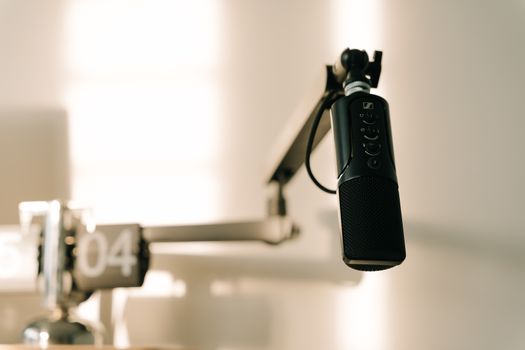
Audio is the question new creators ask about most, especially those planning a faceless or voice-only channel where nothing but the voice is on screen. On communities like r/NewTubers, the recurring question is whether a computer microphone, a phone microphone, or an earbud microphone is the right starting point.
Each option has a place. The microphone built into your phone or computer is the cheapest starting point because it costs nothing extra. A dedicated microphone generally gives you more control over where the sound is captured from. Earbud microphones sit close to your mouth, which suits voice-heavy formats where you are talking straight into the recording.
The only reliable way to choose is to test. Record the same short script three times using each option, listen back through headphones, and pick the one that sounds clearest in the room you actually record in. Rooms differ enormously, and a microphone that sounds fine in one space may not in another.
Lighting and Support: Two Quiet Wins
Lighting and stability rarely get the attention that cameras and microphones do, yet they shape how professional a video feels. Support gear is the simplest fix in the entire kit. A tripod or stand removes the shake that handheld footage carries, and it also lets you step back from the phone and use both hands.
Lighting can start as simply as facing a window. When you do buy a light, the goal is a steady, even source on your face rather than a dramatic setup. Starter kits sold for beginners typically bundle this kind of lighting together with microphones and tripods, which is convenient if you would rather buy once than research each item separately.
What Beginner Starter Kits Usually Include
If buying individually feels overwhelming, kits exist for exactly this situation. Movo offers starter kits designed specifically for beginners, including essentials such as microphones, tripods, and lighting solutions. Adorama’s beginner coverage of a YouTube starter kit groups gear into the same broad categories: camera, microphone, lighting, and software.
The trade-off with a kit is straightforward. You get a coordinated set of beginner-level items in one purchase, which saves research time. You also commit to someone else’s idea of what a beginner needs, which may include items you would not have chosen. Before buying, check the current contents and pricing on the retailer’s own page, since bundles change over time.
Editing Software and the Rest of the Workflow
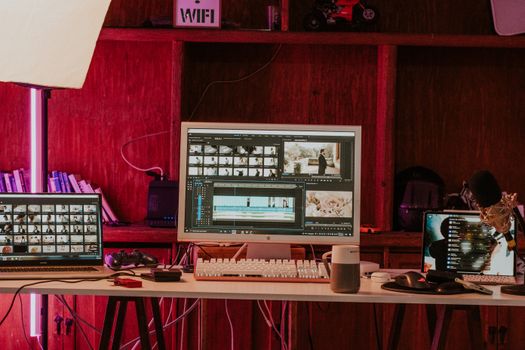
Editing is the step new creators underestimate most. Free options are genuinely viable at the start. The creator who began with a used phone also cut videos in iMovie, which came at no cost. Other free and paid editors exist, and their features and pricing change, so compare current options on each provider’s official site before committing.
Beyond editing software, a starter workflow needs somewhere to store footage. Phone and computer storage fills up quickly once you are recording regularly, and losing a finished edit to a full drive is a frustrating way to learn that lesson. Back up project files somewhere separate from the device you edit on.
A Sensible Order for Buying Gear
When you do start spending, buy in the order that solves the biggest visible problem first.
- Use the phone or camera you already own, and record a test video with it.
- Improve audio before anything else, since your voice carries the video.
- Add a tripod or stand so the shot stops moving.
- Add a light once you know where and when you record.
- Upgrade the camera last, only when a specific limitation appears.
Working down that list means every purchase has a reason attached to it. It also means your channel can publish while the list is still unfinished, which is the only way any of the gear starts paying for itself in experience.
What You Can Safely Delay
Several items on typical beginner lists can wait. A second camera, a large lighting rig, a dedicated microphone for every possible recording situation, and a top-tier editing suite are all upgrades rather than starting points. None of them will fix a channel that has not published a video yet.
There is also a real cost to buying early. Every hour spent comparing specifications is an hour not spent scripting, filming, or editing. Gear decisions get easier once you have published a few videos and can see for yourself where your footage falls short.
Frequently Asked Questions
Do I need a camera to start a YouTube channel?
No. One creator reported starting a channel with a used iPhone XR, a $20 tripod, and free iMovie editing software, and that setup was enough to publish videos. The advice echoed across beginner gear discussions is that a fancy camera is not required to begin. Buy a dedicated camera later, once a specific limitation shows up in your footage.
What microphone should a beginner use?
Start with whatever you already have. Creators commonly ask whether a computer microphone, a phone microphone, or an earbud microphone is the better first choice for a voice-heavy channel. Record the same short script with each option you own, listen back through headphones, and keep the one that sounds clearest in your recording space before spending anything.
Are beginner starter kits worth buying?
They can be, if you would rather not research each item separately. Movo sells starter kits designed for beginners that include microphones, tripods, and lighting, and Adorama groups beginner YouTube gear into camera, microphone, lighting, and software categories. Check the current contents and pricing on the retailer’s own page, since bundles and prices change.
What software do I need for my first videos?
Free software is enough to begin. The creator who started with a used phone also edited in iMovie at no cost. Other free and paid editors are available, and their features and pricing shift over time, so compare current options directly on each provider’s official site before deciding which one to learn.
How much should I spend on my first setup?
There is no fixed figure, and no source agrees on one. What the research does show is that people have started successfully with a used phone, an inexpensive tripod, and free editing software. Spend on audio first, keep the camera you already own, and add lighting, support, and a dedicated camera only when a real gap appears in your videos.