
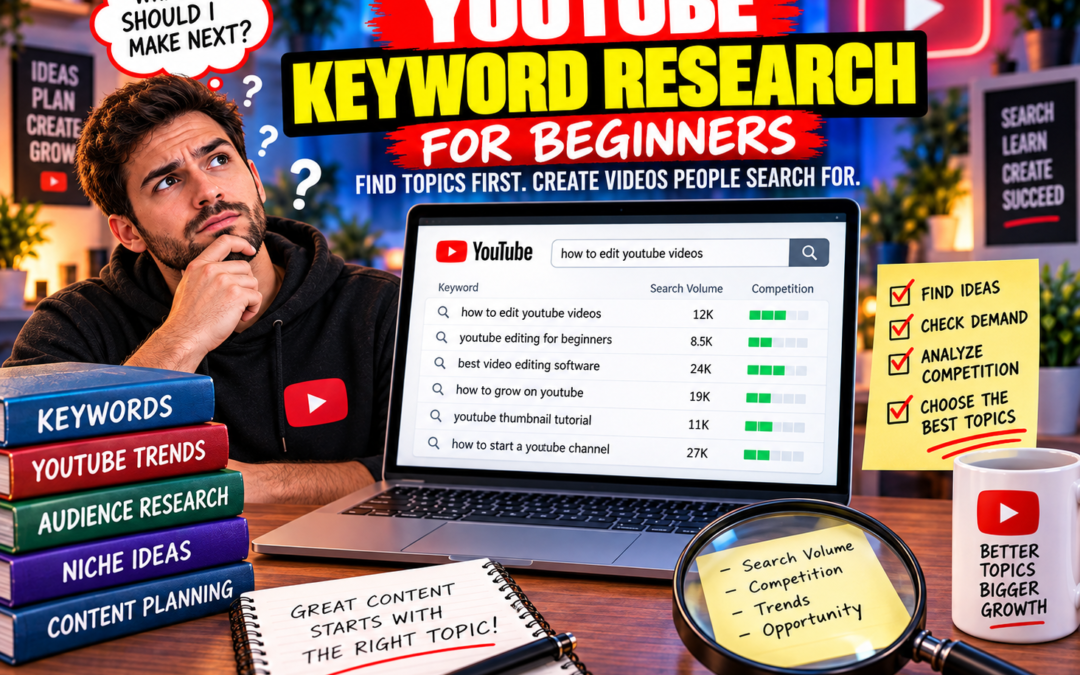
Filming first and researching later is a costly habit. YouTube keyword research is the work of finding the words and phrases people use to search for video content online. Because YouTube is the most popular video website, most video keyword research focuses on YouTube search. The goal for a new creator is simple: choose a topic that people already look for, then make a video that answers that search clearly.
What YouTube keyword research actually means
Keyword research is not a guessing game about what sounds interesting. It is a structured way to turn a vague video idea into a searchable topic. Search Engine Land's guide notes that, according to Worldmetrics, YouTube is the world's second most popular search engine. Millions of people use YouTube search every day for sports, makeup, business, and other subjects. That gives beginners a large pool of queries to study, but it also means broad ideas are often crowded.
A practical research session produces three things: a list of topics you could cover, a set of keyword ideas within those topics, and search volume data for the phrases that matter most. Yoast's beginner workflow uses those same three steps. You do not need a perfect spreadsheet. You need enough evidence to choose a topic with demand before you write a script or set up a camera.
Why research before you film
The camera is not the expensive part of a weak video. Time is. A video built around a phrase nobody searches for can be well lit, well edited, and still fail to find an audience. Research before filming keeps the topic, title, and opening minute aligned. It also helps you plan the examples and questions the video must answer.
For a smaller channel, the advantage is specificity. A broad phrase such as "photography tips" may be dominated by established channels. A narrower phrase around a real viewer problem gives you a clearer promise and a better chance to be useful. Research does not guarantee rankings. It gives you a defensible reason to pick one topic over another.
The beginner workflow from topic to video
Use the sequence below as a repeatable pre-production routine. Keep notes for each phrase so you can compare ideas without relying on memory.
Step 1: Collect your list of topics
Start with subjects you can explain, demonstrate, or review. For a beginner channel, that might mean camera basics, lighting setups, editing fixes, or software walkthroughs. Do not check search volume yet. First, build a broad list of content areas where you have something useful to say. This is the topic layer, and Yoast's workflow begins with it.
Step 2: Generate keyword ideas
Turn each topic into the phrases a viewer might type. Autocomplete tools are useful here because they surface suggestions around a seed phrase. Ahrefs' YouTube Keyword Tool generates keyword ideas for YouTube in 171 countries, which is helpful if your audience is outside your home market. Write down every relevant phrase, including longer questions and comparison terms. Filter for relevance later.
Step 3: Get search volume data
Search volume tells you whether a phrase has steady interest or is a one-off idea. Ahrefs provides monthly search volumes alongside its keyword ideas. Use the numbers to compare phrases within the same topic, not to crown a single winner. A moderate phrase that matches your video exactly can be more useful than a huge phrase that your channel cannot realistically serve.
Step 4: Check demand signals beyond volume
Volume is not the only signal. The ytRank Chrome extension provides instant estimated view counts for YouTube search suggestions, which gives you a quick read on interest around a phrase. TubeBuddy's Keyword Explorer is another research option for YouTube and Google Trends. Use these signals to separate phrases with active viewer interest from phrases that only look good on a keyword list.
Step 5: Review the search results page
Search the phrase on YouTube and study what already ranks. Look at the titles, formats, and angles in the results. If every result is a broad explainer from a large channel, a beginner may need a narrower phrase or a more specific audience. If the results are thin or do not answer the question directly, that can be an opening. Judge relevance, not just popularity.
Step 6: Choose one primary keyword and build around it
Pick one phrase that best matches the video you can actually make. Use it to shape the title, the first thirty seconds, and the sections of the video. Add close variations only where they fit naturally. A clear primary keyword keeps the edit focused and helps viewers understand immediately why they should keep watching.
A simple tool stack for beginners
You can start with free methods and add paid tools only when they solve a specific problem. The table below maps the research jobs described in this guide to tools covered here. Check each provider's current features and limits before you rely on a free tier.
| Research job | Tool or method | What it gives you |
|---|---|---|
| Generate phrases | Keyword.io free autocomplete tool | Trending YouTube keyword suggestions built around a seed phrase. |
| Build a keyword list | Ahrefs YouTube Keyword Tool | Keyword ideas for YouTube in 171 countries with monthly search volumes. |
| Gauge viewer interest | ytRank Chrome extension | Instant estimated view counts for YouTube search suggestions. |
| Compare research signals | TubeBuddy Keyword Explorer | YouTube keyword research alongside Google Trends data. |
How to judge a keyword without overthinking it
Use four questions to keep the decision practical. First, is the phrase relevant to the video you can make? Second, does it match a clear viewer intent, such as learning a task, comparing options, or solving a problem? Third, can you compete for it with your current channel and production level? Fourth, can you make more than one video around the topic if it performs?
If a phrase fails the relevance test, drop it even when the volume looks attractive. If it passes relevance but fails the competition test, narrow it. If it passes both but you cannot repeat the topic, treat it as a single video rather than a pillar. This is not a scoring system that guarantees results. It is a way to avoid filming something you cannot justify.
Common beginner mistakes
- Choosing a keyword after the video is finished, then forcing it into the title.
- Judging a phrase by search volume alone and ignoring the results page.
- Targeting a broad phrase because it sounds popular, without a specific angle.
- Copying a large channel's topic without considering whether you can serve it better.
- Stuffing every related phrase into the title instead of making one clear promise.
Each mistake has the same cost: the video becomes harder to understand and harder to recommend. Research is useful when it sharpens the idea, not when it makes the idea generic.
Turn research into a filming plan
Once you have a primary keyword, write a one-sentence promise for the viewer. Then outline the video around the questions that promise creates. The opening should confirm that the viewer is in the right place. The middle should deliver the steps, examples, or comparison. The ending should close the loop without introducing a new topic that belongs in another video.
Use the keyword in the title and description in a natural way, but do not let it override clarity. A title that reads like a search query may rank, yet a title that reads like a helpful answer can earn the click. Before filming, check that your outline actually delivers what the phrase suggests. If it does not, change the phrase or change the video.
Frequently Asked Questions
These are the questions new creators ask most often after their first research session.
Is YouTube keyword research different from Google keyword research?
Yes. YouTube keyword research focuses on words and phrases people use to search for video content, and most video keyword research centers on YouTube search because YouTube is the most popular video website. Viewer intent is often watch-and-learn, so results are videos rather than articles. Start with YouTube-specific suggestions and volume data instead of copying a blog keyword list.
Do I need paid tools to start?
No. You can begin with free options such as the Ahrefs YouTube Keyword Tool, Keyword.io's autocomplete tool, and the ytRank Chrome extension. TubeBuddy's Keyword Explorer is another research option. Start with the free methods, learn what each signal tells you, then decide whether a paid feature solves a real problem. Verify current features and limits with each provider.
How many keywords should one video target?
One primary phrase is enough, supported by a few close variations. The primary phrase should match the main promise of the video and appear naturally in the title and opening. Related terms can appear where they help explain the topic. A focused video is easier to title, easier to edit, and easier for viewers to understand than a video chasing many unrelated phrases.
What if a keyword has high search volume but strong competition?
Treat volume as one signal, not a verdict. Review the search results and estimated view counts before committing. If large channels dominate with broad videos, narrow the phrase, target a specific viewer, or offer a fresher angle. A smaller phrase you can serve well is often more valuable than a large phrase you cannot realistically compete for.
Should I research before or after choosing a video title?
Research before. The title should come from the evidence, not justify a decision you already made. Collect topics, generate keyword ideas, check search volume, and review the results page. Then write a title that matches both the phrase and the video. If the title promises something the video does not deliver, viewers will leave and the research was wasted.