
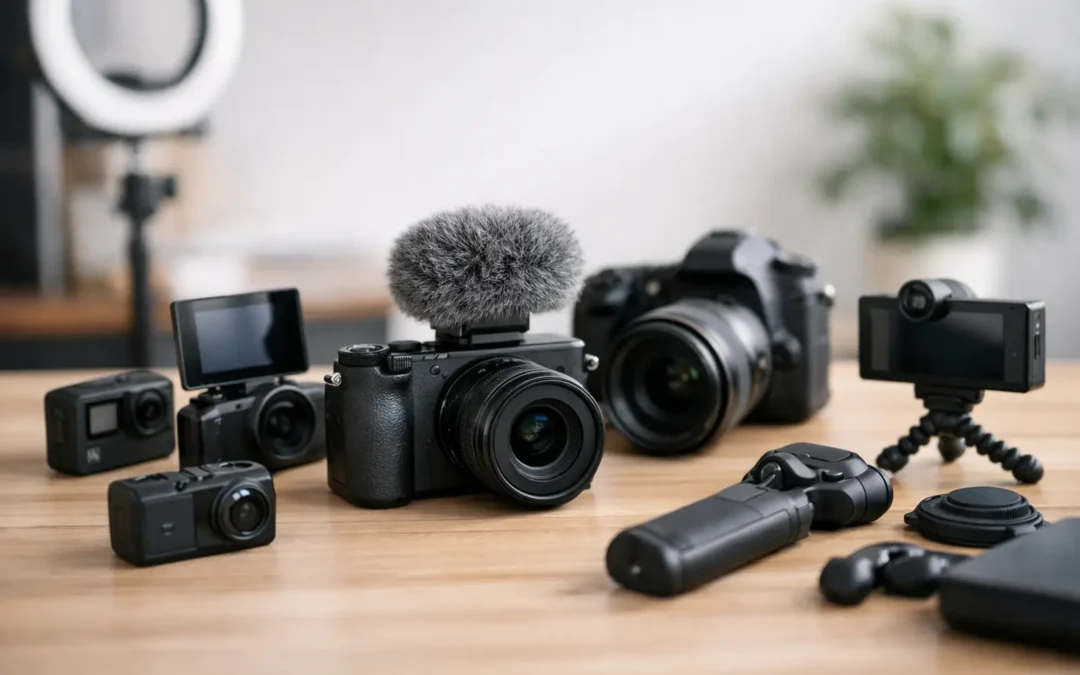
Picking your first camera can feel bigger than it should. You want your videos to look credible, but you also do not want to burn your budget on gear that slows you down. The best cameras for YouTube beginners are not always the most expensive ones. They are the cameras that help you film consistently, learn faster, and publish better videos without fighting your setup every week.
That matters more than most new creators realize. A camera is not just an image-quality purchase. It affects how quickly you can record, whether your focus stays sharp, how easy it is to frame yourself, and how confident you feel pressing upload. If you are starting a channel, your best choice is usually the camera that removes friction, not the one with the most advanced spec sheet
What actually makes a camera beginner-friendly?
For YouTube, a beginner-friendly camera usually gets four things right. It has reliable autofocus, a flip screen, solid video quality, and a microphone input. Those features make a direct difference in your content. Sharp focus saves retakes. A flip screen helps with framing. Clean video helps your channel look trustworthy. A mic input gives you room to improve audio, which often matters more than camera quality.
The other factor is simplicity. Some cameras produce amazing footage but hide basic settings in confusing menus or overheat during longer recordings. If you are filming talking-head videos, tutorials, product reviews, or short educational content, ease of use is part of the value.
Best cameras for YouTube beginners by type
Canon EOS R50
If you want the safest all-around pick, the Canon EOS R50 is hard to beat. It gives beginners strong autofocus, pleasing color, a flip-out screen, and a lightweight body that does not feel intimidating. For creators filming themselves, Canon's subject tracking is especially helpful because it keeps your face in focus without much setup.
The biggest advantage here is balance. The R50 feels modern without being overcomplicated. It works well for sit-down videos, lifestyle content, beginner vlogging, and educational channels. Image quality is more than enough for a growing channel, and it gives you room to improve your lighting and audio later.
The trade-off is lens cost. Canon's mirrorless ecosystem can get expensive once you want more specialized lenses. Still, as a first camera, it makes the learning curve manageable.

Sony ZV-E10
The Sony ZV-E10 is built with creators in mind, and that shows. It has excellent autofocus, strong video features, and a design that works well for solo shooting. If your content includes handheld clips, desk setups, interviews, or a mix of home and on-the-go filming, this camera gives you a lot of flexibility.
Sony's autofocus is one of the strongest reasons to choose it. Beginners often struggle with soft footage, especially when moving in and out of frame. The ZV-E10 handles that well. It also gives you access to Sony's large lens lineup, which is useful if you plan to grow into better gear over time.
Its weak point is stabilization. If you plan to vlog while walking, you may need a lens with stabilization or a small gimbal. For stationary or lightly mobile content, that is less of a concern.
Sony ZV-1
Not every beginner needs an interchangeable lens camera. The Sony ZV-1 is a compact option that makes a lot of sense if you want speed and simplicity. It has a built-in lens, strong autofocus, good background blur for its size, and creator-focused features that make recording straightforward.
This is a smart pick for creators who want decent quality without thinking about lenses, sensor formats, or extra accessories on day one. It works especially well for beginners making commentary, product videos, travel clips, or short-form YouTube content.
The limitation is obvious. Because the lens is fixed, your upgrade path is smaller. If you already know you want to experiment with different focal lengths or cinematic setups, a mirrorless model may serve you longer.
Canon PowerShot V10
The PowerShot V10 is one of the easiest entry points into YouTube video creation. It is tiny, simple, and clearly aimed at people who want to start recording fast. If your biggest barrier is overthinking gear, this camera makes a strong case for keeping things simple.
It is not the most powerful camera on this list, and experienced creators will outgrow it quickly. But not every first camera needs to last five years. Sometimes the right move is getting something approachable enough that you actually start posting. For casual vlogging, beginner lifestyle content, and quick creator updates, it can work well.
Panasonic Lumix G100
The Lumix G100 sits in an interesting middle ground. It is compact, offers interchangeable lenses, and has a friendly design for beginners. Panasonic also does well with practical video usability, which helps if you are learning how to create a cleaner setup without too much technical friction.
It can be a good choice for creators who want better quality than a compact camera but still want a lighter system than some larger mirrorless bodies. The autofocus, however, is not as dependable as Sony or Canon for solo creators. That does not make it a bad camera, but it does mean your filming style matters. If you mostly shoot controlled indoor videos, it is easier to recommend.
Nikon Z30
The Nikon Z30 deserves more attention than it usually gets. It was clearly designed for beginner video creators, with a flip screen, strong image quality, and a body that feels intuitive. If you want a dedicated content camera without paying for features aimed at photographers first, the Z30 makes sense.
Its video-first approach is appealing for YouTube beginners. It is comfortable to use, and the quality is strong for talking-head videos, tutorials, and creator education content. The main question is system depth. Nikon's mirrorless video ecosystem is improving, but some creators still prefer Sony or Canon for broader lens and accessory choices.
Should you buy a camera or just use your phone?
This is the right question, especially if your budget is tight. A newer smartphone can absolutely beat a cheap camera in convenience, and sometimes in overall results. If you already have a recent phone, good lighting, and a decent microphone, you may not need a camera yet.
A dedicated camera starts making more sense when you want better background separation, stronger low-light performance, more control over your look, or a setup that feels more professional for long-form content. It also helps if you are filming product demos, tutorials, or business content where visual quality supports trust.
For many creators, the smartest path is not phone versus camera. It is phone first, camera second. Start with what you have if it is good enough. Upgrade when the camera solves a real production problem.
How to choose the best camera for your channel
If you film at a desk
Choose autofocus, a flip screen, and easy file handling over advanced motion features. The Canon EOS R50 and Nikon Z30 are especially strong here. You do not need extreme stabilization if your camera stays on a tripod.
If you vlog or move around a lot
Look closely at stabilization, size, and autofocus. The Sony ZV-1 and ZV-E10 are better fits for creators who shoot on the go. Your camera needs to keep up with movement without turning setup into a chore.
If your budget is limited
Keep more of your budget for lighting and audio. A slightly cheaper camera with a good microphone and soft light will usually outperform a better camera in a bad setup. That is a lesson many new creators learn after spending too much on the body alone.
If you want room to grow
Interchangeable lens cameras are usually the better long-term move. The Sony ZV-E10 and Canon EOS R50 stand out because they are beginner-friendly now and still useful after your channel matures.
A few buying mistakes to avoid
The first mistake is chasing cinematic quality before you have a content system. Your audience will forgive a little noise or less background blur. They will not forgive confusing videos, weak sound, or inconsistent posting.
The second mistake is ignoring ergonomics. A camera can look perfect on paper and still be annoying to use every week. If recording feels slow or menus feel confusing, your momentum drops.
The third is forgetting the full setup. Batteries, memory cards, a tripod, a basic light, and an external microphone can matter more than the difference between two similar camera bodies.
So which camera should most beginners buy?
If you want the most reliable starting point, the Canon EOS R50 is the easiest recommendation for most new YouTubers. If you care most about autofocus and long-term system flexibility, the Sony ZV-E10 is a very close second. If you want something compact and simple, the Sony ZV-1 is still one of the smartest beginner creator cameras you can buy.
The right answer depends on how you plan to create, not just what looks best in a product comparison. That is the mindset Tubeskill encourages across every stage of channel growth. Choose the camera that helps you publish consistently, learn your style, and improve one video at a time. That is how better gear turns into better results.