Most people who ask what they need to start a YouTube channel are already closer than they think. The question usually arrives in the form of “what equipment do I need,” or “I want to start but I don’t know what to do,” and it hides a bigger worry: that there is some hidden preparation step that everyone else has already completed.
There isn’t one. What exists instead is a set of expectations that need adjusting before the first upload, because the gap between how starting a channel feels and how it actually goes is where most beginners lose momentum. The eight realities below cover the parts that are easy to miss, including the setup details most beginners never touch, the equipment question people ask in every thread, and the thumbnail work that decides whether anyone watches at all.
1. The Setup Takes Minutes, the Account Details Take Thought
Creating the channel itself is the fast part. A Google account, a channel name, a description, and you are technically live. Step-by-step walkthroughs from larger creators, such as Think Media’s guide to creating a channel, spend the bulk of their runtime on something else: the settings most beginners skip.
Treat setup as two jobs. The first is creating the channel. The second is deciding how you appear, what your name signals to a stranger, and which publishing and privacy options are switched on by default. Review every default setting in the studio before you upload, write down your choices somewhere you can check later, and verify any option you do not recognise in YouTube’s own help documentation rather than in a video from three years ago.
2. Everyone Asks About Equipment Before They Ask About Content
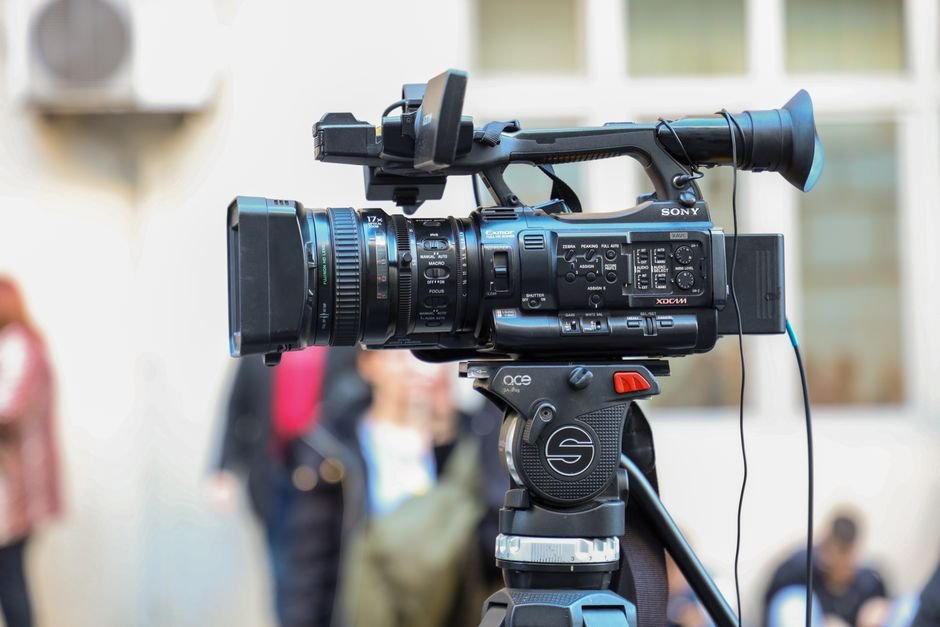
Search any forum thread on starting a channel and you will find the same shape of post: someone planning a product review channel asking what gear they need, camera first, lighting second. The equipment question dominates because it feels productive and it is easy to buy your way through.
Step-by-step guides settle the question quickly. The equipment section is short and comes before the deeper work of crafting engaging thumbnails and leaving viewers with a strong takeaway. That ordering is worth copying. Spend your early effort on what you will actually say and how it will look in a thumbnail, and let the hardware stay boring until you know the format you are committing to.

3. Thumbnails and Titles Do Half the Work Before the Video Plays
A viewer scanning a feed sees two things and nothing else: a small image and a short line of text. Regardless of how strong the video is, that image and that line decide whether it gets seen by anyone at all. Beginners often finish editing, upload, and then improvise a thumbnail in the final five minutes.
Work in the opposite direction. Sketch a rough thumbnail concept while you are planning the video, so that the video itself delivers what the image promises. If the thumbnail needs a face, a result, or a clear before-and-after, plan the shot while filming. Any mismatch between what the thumbnail implies and what the video delivers costs you trust with the exact viewers you most need to keep.
4. Your First Uploads Are Practice, Not Portfolio Pieces
Nobody’s tenth video sounds like their first. Beginners tend to treat the first upload as a statement of who they are, which creates enough pressure to delay it for months. The healthier read is that the first batch of videos is how you learn to talk to a camera, edit on a deadline, and fix the audio problem you will definitely discover.
Small channel creators who have studied the advice of larger channels make this point consistently: the practical tips only help once you have something published to apply them to. Give yourself permission to be rough. What matters is that the eighth video is easier to produce than the first, and that each upload teaches you one thing about your audience, your energy levels, or your process.
5. Broad Advice Is Abundant, and Most of It Will Not Fit Your Channel
Top tips for beginners exist in huge numbers, and much of it is genuinely useful. It also contradicts itself frequently, because a tip that saved one creator’s channel came from a completely different format, audience, and schedule than the one you are building.
Take in the advice, then test it in small batches. Apply one idea to two or three videos, watch the retention and click behaviour, and decide for yourself. A product review channel and a talking-head commentary channel need different thumbnails, different lengths, and different first-second hooks. Advice is a menu, not a prescription, and the sooner you build your own short list of what works, the faster progress stops being accidental.

6. “What Do I Need?” Is a Question Only Your Format Can Answer
The most common community question, what will I need to get started, cannot be answered in general. A review channel needs access to things worth reviewing. A tutorial channel needs a clear screen, clean audio, and a demonstration that reads on a small screen. A vlog needs a camera that can follow you out of the room.
Before buying anything, write down the twenty videos you intend to make. Then list what each one physically requires. If most of your planned videos share the same three requirements, buy for those three and ignore everything else on the equipment list. If you cannot describe twenty videos, the format is not settled yet and the purchase can wait.
7. Growth Timing Is Not Something Anyone Can Promise You
One creator in the research space describes how their own channel reached millions of views and tens of thousands of subscribers with the same basic beginner tips. That outcome is real and also not reproducible by copying a checklist, because the checklist was applied across years of uploading.
Plan for an unknown timeline. Instead of a subscriber target for month one, set goals you fully control: one upload per week, audio checked before every recording, a thumbnail finished before the video goes live. Controlled goals keep you publishing long enough for the uncontrolled outcomes to have a chance. When monetisation or income questions come up, check the current requirements against YouTube’s official policy pages rather than advice from an older video, since eligibility rules change.
8. Every Video Needs an Ending Worth Remembering
One of the clearest pieces of advice in beginner step-by-step guides is to end with impact by leaving viewers a strong takeaway. It sounds soft, but it is structural. A viewer who finishes a video and can repeat your main point in one sentence is a viewer more likely to return and more likely to remember your channel name later.
Write the takeaway first, in a single sentence, before you script anything else. Then build the video backwards from it. This one habit cleans up rambling middles, prevents the fade-out ending where the point gets lost, and gives your final line something to actually say. It also makes the video easier to title, since the takeaway usually contains the strongest available phrase.
Frequently Asked Questions
Do I need expensive equipment to start a YouTube channel?
Equipment matters less than most beginners assume, and the questions people actually ask about it tend to focus on cameras before content. Decide what your twenty planned videos physically need, buy only the shared requirements, and let quality problems you personally experience drive upgrades. Many early improvements come from better audio placement and framing rather than new hardware.
How long should I plan before publishing my first video?
Long enough to describe your format and pick a channel name, not long enough to buy gear you may not need. First videos are learning projects, and the practical tips from larger creators only become useful once you have uploads to apply them to. Set a date and treat the first three videos as practice with real stakes.
What should I check before choosing a channel name?
Ask whether a stranger hears the name and understands the kind of videos you make. Check that it is easy to spell aloud, that you are comfortable saying it in every video, and that it leaves room to grow if your topics shift. Then review the settings and options inside YouTube Studio before you publish anything.
Why do thumbnails matter so much for a new channel?
A thumbnail and title are the only two things a viewer sees while deciding whether to click. Strong thumbnails are planned alongside the video, not improvised after editing, so the image can promise something the video genuinely delivers. Consistent, honest thumbnails build recognition faster than clever ones that mislead.
How do I find out whether I can earn money on YouTube?
Check YouTube’s own official policy and eligibility pages, because the requirements and rules change and older videos go stale quickly. Community threads repeat outdated thresholds constantly. Build the channel to that published standard, keep records of your uploads and watch behaviour, and treat any income projection from a forum post as unverified until you confirm it.