
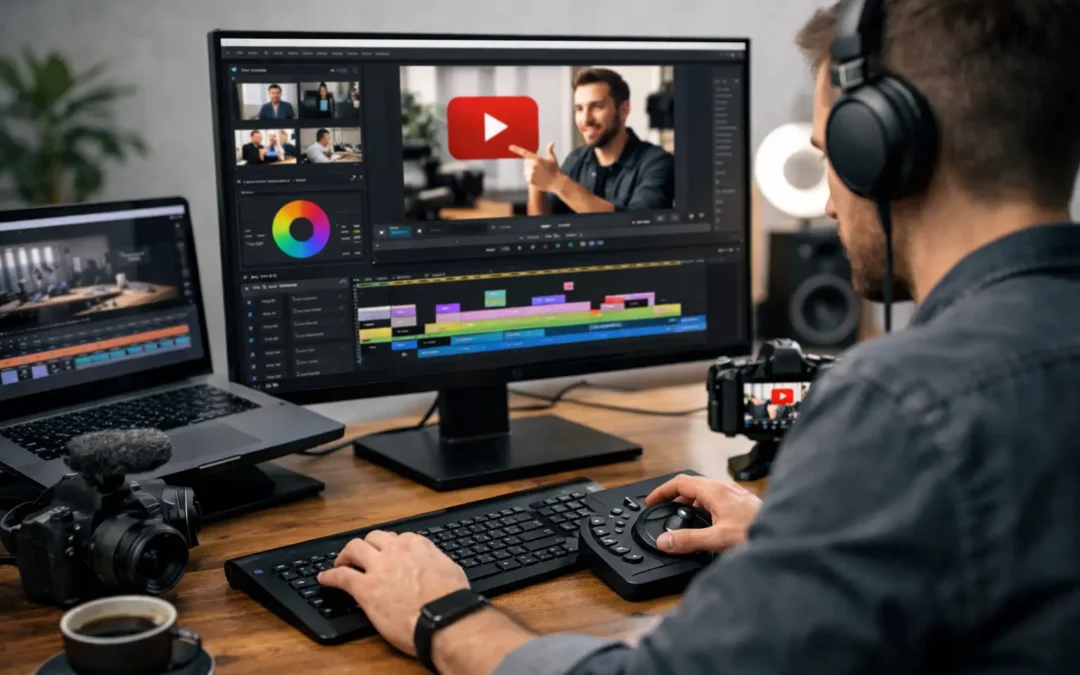
Most creators do not lose time in the timeline. They lose it before they even start editing.
If you want to know how to edit YouTube videos faster, the biggest gains usually come from fixing your workflow, not from buying a new plugin or memorizing 50 keyboard shortcuts. Faster editing is really about reducing decisions, reducing repeated tasks, and reducing the number of times you touch the same footage.
That matters because editing is often the bottleneck that slows channel growth. When one video takes too long to finish, publishing gets inconsistent, ideas pile up, and momentum drops. For beginner and intermediate creators, a faster process is not just about convenience. It is a direct path to more uploads, better testing, and more room to improve on YouTube.
How to edit YouTube videos faster starts before editing
A slow edit usually begins with a messy recording session. If your files are disorganized, your audio has issues, your takes wander, and your script keeps changing halfway through, your editor has to solve all of that later. Even if that editor is you.
The simplest way to speed up editing is to make the footage easier to edit. Record with a rough structure, even if you are not using a full script. Know your hook, your key points, your transitions, and your ending before you hit record. If you are making tutorial content, say each section clearly and pause between takes. Those pauses create visual markers in the waveform, which makes it much easier to cut.
You should also name your files properly the moment they are imported. One folder for A-roll, one for B-roll, one for music, one for graphics, and one for exports is enough for most creators. This feels small, but it prevents the kind of friction that quietly adds 20 to 30 minutes to every project.
Build a repeatable editing workflow
Editing gets faster when fewer choices are made from scratch.
That means using the same sequence settings, the same intro style, the same lower thirds, the same audio chain, and the same export preset whenever possible. You are not trying to make every video identical. You are building consistency around the parts that do not need reinvention.
A lot of creators waste time treating every upload like a brand new production. That can work for high-budget channels, but for most solo creators it becomes a trap. If your audience comes for clarity, personality, and value, you do not need to redesign your editing style every week.
Create a project template in your editing software with your preferred timeline settings, brand colors, text styles, music bins, and commonly used effects already loaded. Once that system is built, each new video starts with momentum instead of setup work.
This is one of the highest-leverage answers to how to edit YouTube videos faster because it removes decision fatigue. And decision fatigue is often what makes editing feel endless.
Cut in passes, not all at once
One reason editing drags on is that creators try to do everything at the same time. They cut mistakes, adjust audio, add zooms, search for B-roll, write captions, and tweak color all in one messy session.
That approach feels productive, but it usually slows you down.
A better method is to edit in passes. First, build the rough cut by removing mistakes, long pauses, and weak sections. Then tighten pacing. After that, add supporting visuals like B-roll, screenshots, and text. Save sound polish and color correction for the end.
This works because your brain stays focused on one type of decision at a time. You are either shaping the story or polishing the presentation, not switching back and forth every two minutes.
There is also a strategic benefit here. If the rough cut is weak, no amount of effects will save it. Finishing the structural edit first helps you protect the part of the video that matters most: retention.
Use shortcuts, but only the ones you will actually remember
Keyboard shortcuts can absolutely speed things up, but creators often approach them the wrong way. They try to learn too many at once, forget them, and fall back to clicking through menus.
Start with a small set you use constantly: cut, ripple delete, undo, playback pause, speed adjustment, and zoom in and out on the timeline. If you master just a handful of these, you will feel the difference in every session.
Custom shortcuts can help too, especially if there is a repetitive action you perform in every video, like adding a preset zoom or dropping a caption style onto the timeline. The goal is not to become an editing wizard. The goal is to remove tiny delays that repeat hundreds of times.
If you use YouTube as a business or growth channel, those saved seconds compound fast.
Stop overediting what viewers do not care about
Many creators edit slowly because they are chasing polish that does not improve performance.
A cleaner video is good. A more engaging video is better. Those are not always the same thing.
You do not need a sound effect on every cut. You do not need animated text every seven seconds. You do not need five camera punch-ins in one minute just because another channel does it. Often, the fastest path to a better video is stripping away edits that add labor without adding clarity.
This depends on your niche. Gaming highlights, entertainment content, and short-form-heavy styles may benefit from denser editing. Tutorials, talking-head education, and business content usually benefit more from clean pacing and strong structure. Knowing the difference can save you hours.
If you are unsure, look at your audience retention and not just your own perfectionism. The edit should support the viewer experience, not your fear of leaving something simple.
Batch the repetitive parts
Batching is one of the smartest ways to speed up production across a channel.
Instead of editing one video from start to finish in isolation, batch the repeatable tasks when possible. Record multiple videos in one session. Create thumbnails in a focused block. Write titles separately. Edit all intros or caption styles with the same preset workflow.
Even within a single edit, batching helps. If your video needs ten text callouts, add them in one phase. If it needs background music, choose and place tracks after the rough cut instead of stopping every few minutes to search.
This works especially well for educational YouTube channels because the format is often repeatable by design. That is not a weakness. It is an efficiency advantage.
Let tools help, but do not hand them the whole job
AI tools and editing assistants can speed up transcription, silence removal, caption generation, and rough cutting. For many creators, that is a real time saver.
But there is a trade-off. Automation is great at reducing manual labor, not at understanding your audience as well as you do. Auto-cuts can feel unnatural. AI captions often need cleanup. One-click editing tools may flatten your style if you rely on them too heavily.
Use automation for the parts that are repetitive and low risk. Be more hands-on with pacing, storytelling, emphasis, and visual choices that affect retention. Faster is useful only if the final video still feels intentional.
For growth-minded creators, the best setup is usually hybrid: let software handle the mechanical tasks, then spend your energy on the edits that shape watch time.
Create a quality bar that matches your stage
A creator posting once a month with extreme polish is playing a different game than a creator testing ideas twice a week.
If your channel is still growing, speed often gives you more upside than perfection. More uploads mean more data, more opportunities to improve packaging, and more chances to find topics that connect. That does not mean rushing low-quality videos out the door. It means choosing a realistic editing standard that supports consistency.
For example, your current quality bar might be clear audio, strong cuts, simple on-screen text, and basic color correction. That is enough for many channels to grow. You can always raise the production value later once the content system is stable.
This mindset shift is powerful because it turns editing from an art project into a publishing system. And on YouTube, systems tend to scale better than bursts of inspiration.
The fastest editors make fewer avoidable mistakes
If you keep rewatching the same section, redoing exports, fixing audio problems, or searching for missing assets, the problem is not speed. It is preventable friction.
A short pre-edit checklist can solve a lot of this. Confirm your mic track is clean. Make sure your footage is backed up. Keep brand assets in one folder. Use export presets. Watch the final cut once for content and once for technical issues before uploading.
That may sound basic, but basic systems are what help creators stay consistent. At Tubeskill, the pattern is easy to spot: channels that grow steadily usually do not have perfect workflows, but they do have reliable ones.
Editing faster is rarely about moving frantically. It is about removing chaos so your creative energy goes where it counts. When your process gets lighter, publishing gets easier, and that gives your channel more chances to win.